TrendVibe
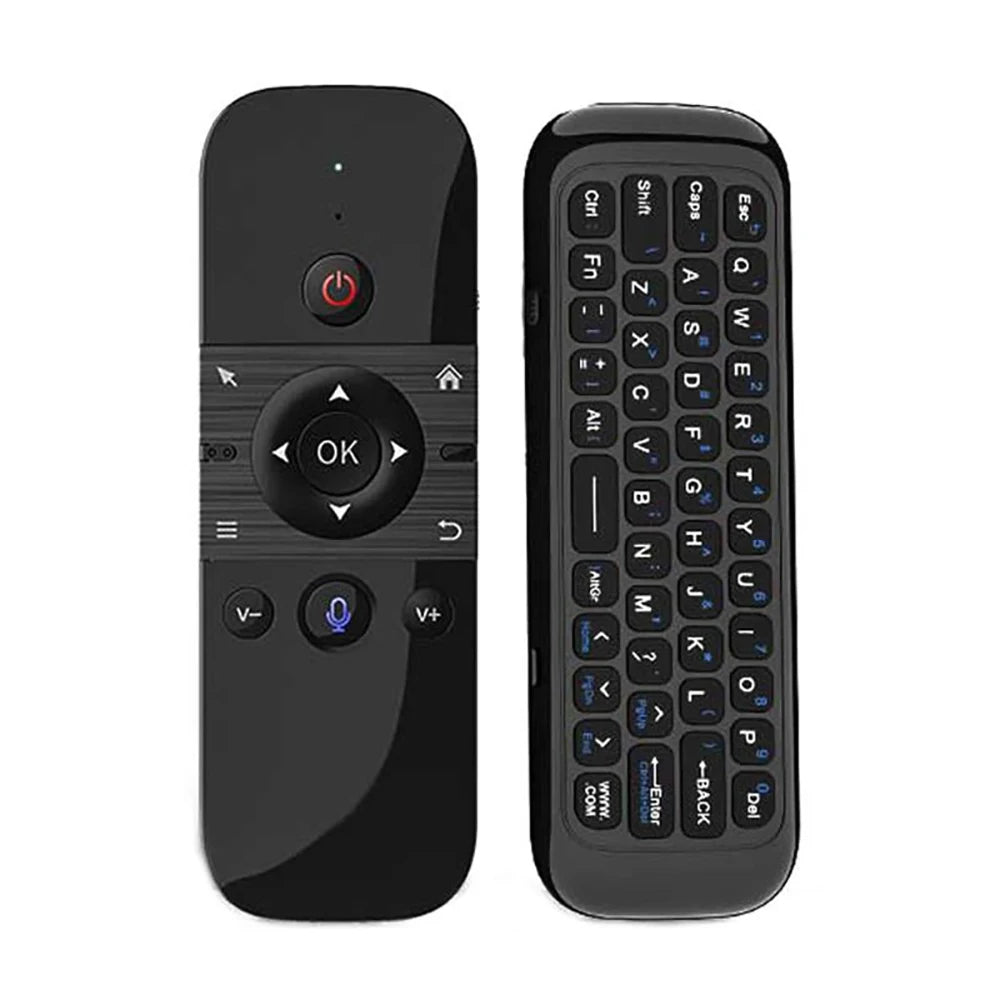
Wireless Mini Keyboard & Voice Remote
Wireless Mini Keyboard & Voice Remote
Couldn't load pickup availability
🎮 Control Your TV, Computer, or Media Setup From One Compact Remote
Make browsing, typing, and navigating easier with the AirClick™ Wireless Mini Keyboard & Voice Remote. It combines air-mouse control, a compact keyboard, and wireless connectivity in one rechargeable device—great for smart TVs, Android boxes, computers, projectors, and home entertainment systems.
Why You’ll Love It:
🖱️ Air Mouse Control — Move the cursor by simply moving the remote in your hand.
⌨️ Built-In Mini Keyboard — Type searches, passwords, messages, and web addresses more easily.
🎤 Voice Input Support — Use voice commands on compatible devices and apps.
📡 2.4G Wireless Connection — Connects using the included USB receiver for responsive control.
🔵 Bluetooth Compatibility — Works with supported Bluetooth devices, depending on the selected version.
🔄 360° Motion Control — Designed for comfortable navigation from different angles.
🔋 Rechargeable Design — Charge and reuse without constantly replacing batteries.
📺 Wide Device Compatibility — Suitable for many smart TVs, Android TV boxes, computers, laptops, projectors, and media devices.
How To Use:
- Charge the remote before first use.
- Connect the USB receiver to a compatible device, or pair through Bluetooth if supported.
- Turn on the remote.
- Move your hand to control the on-screen cursor.
- Use the keyboard for typing and navigation.
- Press the microphone button for voice input on compatible devices.
- Turn off the remote when not in use.

M5 Mini Keyboard:
2 . 4G MODE:
For initial use , plug a USB receiver into the USB port of device and waitfor 20-60 seconds to install driver of USB receiver . Move the mousethe mouse cursor can move on the screen means that pairingis successful
if it is unsuccessful , press and hold [ OK and [ BACK ] buttons , LED light begin to flash . Pairing is successful when LED light stop flashing
BT 5.0 MODE:
1 . Before using this device , first you must turn on the BT function of thelain device
2 . Then long press " OK + Return keys , when the LED turns to flashhe product enters the pre pairing
3 , Click add search new devices on the main device to find this airemotes name ( Example : BT-REMOTE ) . Click the name can to connecting
4 . After the product is successfully connected , the direction of themouse pointer can be controlled by waving in the air
5 .If the connection is not successful , please perform the operationsteps of item 2-4 again
6 . Reconn ent efficiency description : The normal reconnent time of thiproduct is 3-5 seconds after it is normally paired with themain equipment
7 . This product can only remember the pairing information of one maindevice , when the product is connected to a new device , theconnection of historical devices is not supported after
8 . in this case . you need to delete the historical connection informationof this peripheral can be successfully matched for new search
CPIADJUSTMENT
CPI ( Count Per Inch ) . Speed of the Mouse Cursor
Adjustment ( 3 Levels ) , 1 , 2 , 3 Level . The higher the level , the faster the speed . The default speed isset at level 2
1 . Speed Increase
Press OK button + Volume + ] button for about 3seconds , the work indicator flashes quickly and thengoes off , release the button , CPI on the basis of theoriginal increase 1 level
2 . Speed Decrease
Press [ OK ] + olume - for about 3 seconds , thework indicator flashes quickly and then goes off ,release the button , and CPI is reduced by 1 level onthe basis of the original